
SellerPic Lifetime Deal
SellerPic Lifetime Deal uses AI to help ecommerce businesses create studio-quality product images and videos that drive engagement and sales.
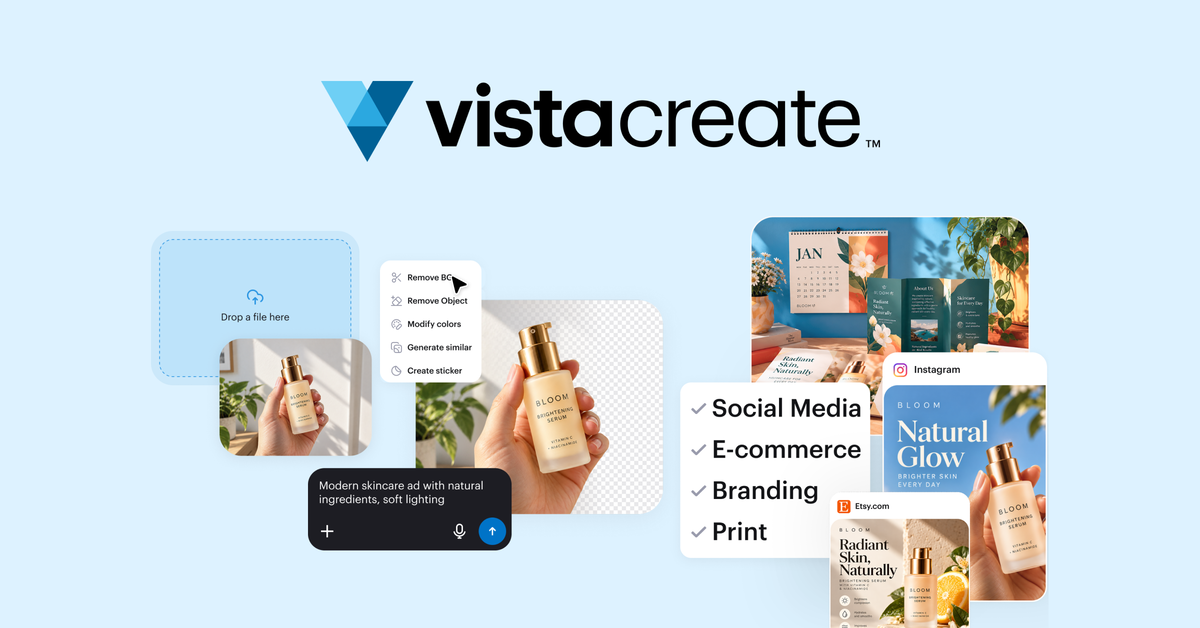
Turn photos and ideas into on-brand social posts, ads, and print designs for your business
Disclosure: We may earn an affiliate commission from purchases made through our links, at no extra cost to you. Deal terms can change, so the current AppSumo listing is authoritative.
A twelve-dollar monthly design subscription costs $144 a year. That is the Canva comparison used in a 2020 customer review included on this page, making it a historical benchmark for the subscription this deal could replace. AppSumo lists VistaCreate Pro at $99 once against a $399 comparison price.
The purchase makes sense if social posts, ads, product graphics, and flyers account for much of your design work. It makes less sense if you keep paying for your existing editor anyway. The useful lifetime deal versus subscription comparison starts with whether you can actually cancel a bill.
VistaCreate is a browser-based design editor with iOS and Android apps. You can start with a template, upload a photo, or describe an idea to its AI Design Assistant. The editor brings layout, image editing, copywriting, and resizing into the same workflow.
It serves small business owners, marketers, freelancers, and content creators producing regular marketing materials. Brand Kits and a shared team workspace help keep those materials consistent. Social scheduling and VistaPrint ordering extend the workflow beyond downloading a finished image.
One-time price: $99 for lifetime access to VistaCreate Pro.
Listed comparison price: $399.
Alternative to: Canva.
Refund window: 60 days.
Tier structure: One plan, named Single.
Code stacking: Not stackable.
Redemption deadline: Within 60 days of purchase.
Purchase requirement: Listed as exclusive to AppSumo Plus members.
Updates: All future Pro Plan updates, with mapping to the replacement plan name if Pro is renamed.
Early-access cutoff: November 16, 2026, at 8 a.m. CT.
Against the twelve-dollar monthly subscription cited in the historical review, the $99 purchase pays for itself in just over eight months. That is a good payback period if you use it weekly and stop paying for the replaced subscription.
The $399 comparison price is useful context for the advertised discount. Your own canceled bill is the better measure of savings.
The Design Assistant turns plain-language instructions into design directions you can refine through chat. AI Image Generator creates visuals from prompts, while AI Writer drafts or rewrites headlines, captions, and promotional copy. These tools address the recurring work of getting a campaign started.
The pricing card lists more than 200,000 design templates and more than 170 million photos, videos, and vectors. Posts, ads, and flyers can begin with an existing layout rather than a blank canvas. For buyers comparing media and design tools, the practical question is whether those assets fit their usual campaigns.
Background Remover, background replacement, and Object Remover help prepare existing photos for listings and promotions. You can isolate a product, change its setting with a prompt, or remove distractions without moving the image into another application.
Unlimited Brand Kits store logos, fonts, and color palettes for different businesses or clients. Up to 10 team members can collaborate in one shared workspace. Unlimited project storage keeps the work together, which matters when several people produce graphics for the same brand.
Design Improver scores a design and suggests changes to alignment, contrast, typography, composition, and image quality. You can preview those changes before keeping them. Version history provides a route back, while one-click resizing adapts layouts for other formats. HD downloads are included.
Scheduling and posting are listed for Facebook, Instagram, and Pinterest. Designs can also go directly to VistaPrint for orders such as postcards, flyers, and business cards. That gives local businesses a connected workflow for digital promotions and physical marketing materials.
The Single plan costs $99 and uses one redemption code. It includes the Pro tools, creative libraries, unlimited Brand Kits, unlimited project storage, and 10 team seats.
The vendor clarifies that those seats belong to a shared team account. They are not 10 separate individual accounts.
There is no higher tier in this offer, and codes do not stack. The usual AppSumo code-stacking approach cannot increase the team allowance here. Buying an entry plan and stacking later does not apply.
New and existing VistaCreate users are eligible under the written deal terms. Future Pro Plan updates are included, and a plan-name change carries the deal into the renamed plan with its accompanying updates.
The shared workspace is a genuine boundary. Businesses needing separate individual accounts should not treat the 10-seat allowance as 10 independent subscriptions.
API integration needs a separate conversation with VistaCreate. Although API appears among the integration labels, the vendor’s response directs interested buyers to its team to discuss available options. An embedded editor or white-label SaaS workflow should not be part of your purchase assumptions.
AppSumo’s review summary mentions occasional glitches and limited social integrations. A 2025 reviewer also requested more comprehensive Traditional Chinese support. These are specific areas to check if publishing connections or that language are central to your work.
The most useful checks before buying a lifetime deal are tied to your actual workflow:
A good fit for
Better served elsewhere
VistaCreate is a strong purchase candidate for routine small-business marketing design. The $99 price, included Pro updates, reusable branding, and photo-editing tools support a credible subscription replacement. The strongest case belongs to someone creating every week who can retire their current paid editor.
The vendor says VistaCreate launched in 2016, belongs to the VistaPrint family, and serves more than 21 million users. That history supports the case for continuity, though it does not guarantee the next three years. API-dependent buyers and teams needing independent accounts have a weaker fit.
Two personal deadlines matter after purchase. Redeem immediately because the code expires 60 days after purchase. Decide whether to keep it by day fifty, leaving time inside the 60-day window described in our AppSumo refund-policy guide.
SAASTOOLY Rating: 4.5/5
Not sure yet?
Run this deal through our free scorecard. Seven checks, a payback calculator, and a plain verdict on whether to buy.
Get the Lifetime Deal Scorecard, free
The Single plan is listed at $99 once for lifetime access. The listing identifies it as exclusive to AppSumo Plus members.
No. The vendor explains that they are team-member seats within the same shared workspace, rather than 10 separate individual accounts.
Yes. The vendor confirms that AI features are included, and the pricing information names tools including Design Improver, Image Generator, Background Remover, Object Remover, and AI Writer.
All future Pro Plan updates are included. If the plan name changes, the deal maps to the new plan name with its accompanying updates.
Yes. VistaCreate offers iOS and Android apps alongside its browser editor. Its FAQ says projects sync automatically across web and mobile devices.
The code must be redeemed within 60 days of purchase. The purchase also has a 60-day money-back guarantee.